 Church Chat
Cross-church chats
Bring another church into a chat, so people from both can talk there.
Make a cross-church chat when you’re working with another church, like a missionary family you send together. Your church stays in charge of it.
Open the chat’s settings, then Cross-church, and select Invite another church. Send the link to an admin at the other church. It works once, for 14 days.
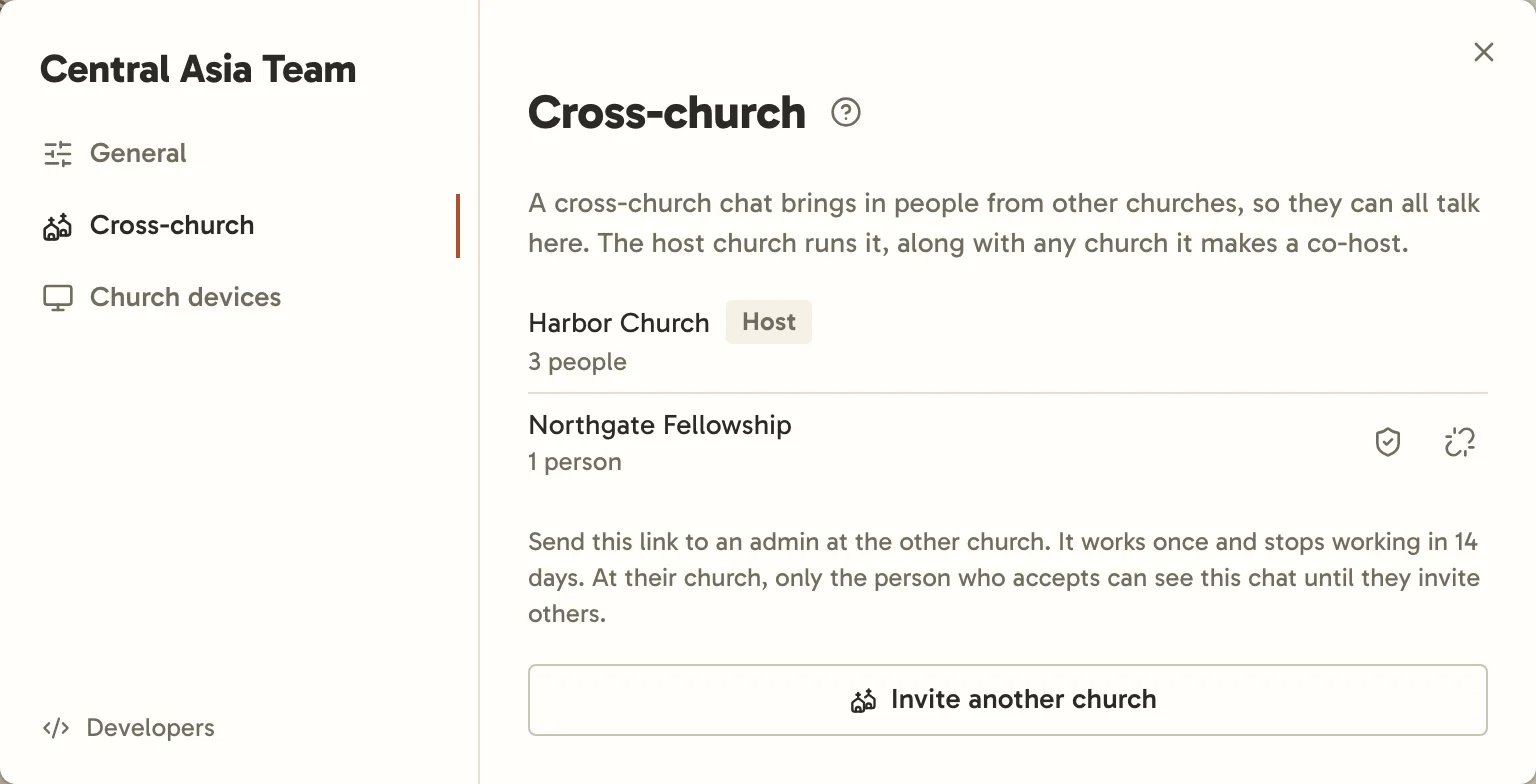
Once they accept, people from both churches can talk there. The member list puts each church’s people under its name, the host’s first, and every message shows its writer’s church beside their name. Staff from both churches can also message each other directly.
At the other church, only the admin who accepted can see the chat at first. They add their own people from there. Even if it’s open at your church, it’s invite-only at theirs.
Your church keeps charge of the chat’s settings. The other church’s admins can add and remove their own people, and take their church out with Leave. Your admins can take a church out with Remove.
To share the running of it, your admins can make another church a co-host from the same list. Its admins can then change the chat’s settings, lead it, invite other churches and take them out, and archive it. Only your church can open the chat to everyone at your church, add your new members automatically, sync it with Planning Center, choose co-hosts, or take a co-host out. Your church’s subscription keeps the chat going.
When a church leaves or is taken out, everyone from it loses the chat, including what was said before, except anyone who also belongs to another church in it. Their messages stay for everyone else, and opening their name on one shows they’re no longer in the chat.
Admins hear by email about changes the other church makes: yours when a church accepts or leaves, and theirs when your church makes it a co-host, stops that, or takes it out.
When a church is read-only
A church whose subscription has run out is read-only, in cross-church chats too:
- If it hosts the chat, everyone can still read it, but nobody can post until the host renews.
- If it’s the other church, its people can still read but can’t post or react, and its admins can only take it out with Leave. Everyone else carries on.
Either way, nothing is lost, and the chat picks up where it left off once the church renews.